
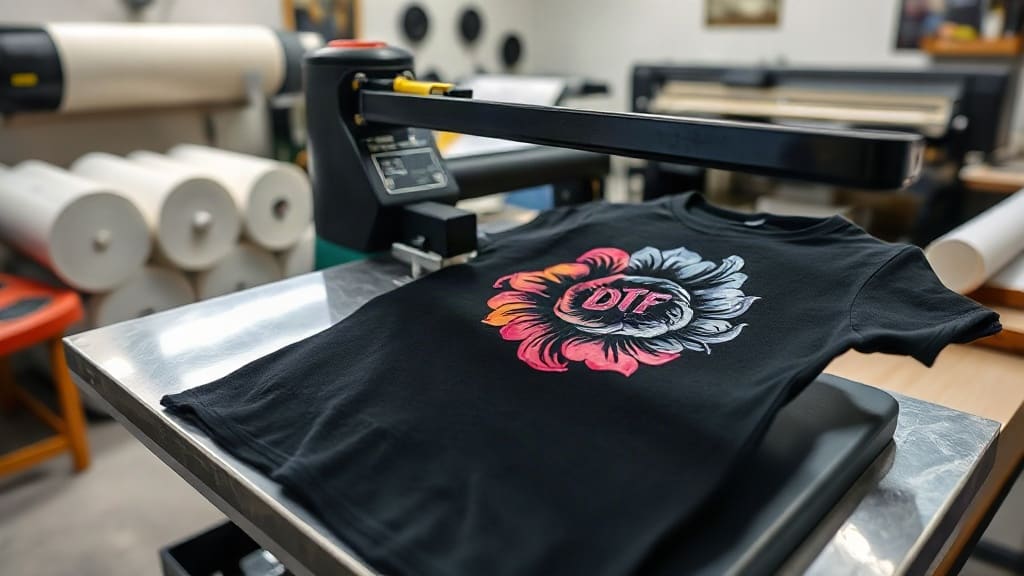
When you first hear about DTF transfers, it might sound like just another printing acronym. But for anyone who has spent hours wrestling with vinyl cutters or clogged inkjet printers, DTF (Direct to Film) is a game-changer. It lets you print full-color designs onto a special film, then heat-press them onto almost any fabric. No weeding, no masking, no color limitations. I remember my first DTF print: a detailed watercolor design that would have been impossible with heat transfer vinyl. The colors popped, the details were crisp, and it survived dozens of washes. In this guide, I'll walk you through everything you need to know to get started with DTF transfers, from the basics to pro tips.
What Exactly Are DTF Transfers?
DTF transfers are printed on a special PET film using a DTF printer. The process uses water-based pigments and a hot-melt adhesive powder. The design is printed onto the film, then powdered with adhesive, and cured. When you're ready to apply, you heat-press the film onto the fabric, let it cool, and peel. The result is a soft, stretchable print that bonds permanently to the fibers. Unlike DTG (Direct to Garment), DTF works on dark and light fabrics without pre-treatment, and it doesn't require a special printer for each garment. It's versatile, cost-effective, and produces stunning results.
Why Choose DTF Over Other Printing Methods?
If you've tried screen printing, you know the setup costs and color limitations. Vinyl is great for simple designs but a nightmare for intricate ones. DTF sits in a sweet spot: it handles complex, multi-color designs with ease, and it works on a wide range of fabrics, including cotton, polyester, blends, and even leather. Plus, the prints are durable. I've seen DTF prints outlast the garment itself. For small businesses or hobbyists, DTF offers a low barrier to entry with professional-quality output.
Step-by-Step: How to Apply DTF Transfers
Applying DTF transfers is straightforward, but the details matter. Here's the process I follow for consistent results.
1. Prepare Your Heat Press
Set your heat press to 325°F (160°C) for cotton, or 300°F (150°C) for polyester. Pre-press the garment for 5-10 seconds to remove moisture and wrinkles. This step is crucial; skipping it can cause the transfer to peel.
2. Position the Transfer
Place the DTF transfer on the garment with the printed side facing up. If you're using a transfer with a carrier film, make sure the adhesive side is against the fabric. Use heat-resistant tape to hold it in place if needed.
3. Press and Peel
Press with medium pressure for 10-15 seconds. For best results, use a press with even pressure. After pressing, let the transfer cool completely before peeling. Peeling while hot can distort the design. Once cool, peel the film off in a smooth, steady motion.
4. Post-Press for Durability
For extra durability, especially on stretchy fabrics, cover the design with a Teflon sheet or parchment paper and press again for 5-10 seconds. This helps the adhesive fully bond.
Common Mistakes to Avoid with DTF Transfers
Even experienced crafters make mistakes. Here are the ones I see most often, and how to avoid them.
- Not pre-pressing: Moisture is the enemy of adhesion. Always pre-press.
- Using too much pressure: This can cause the adhesive to spread and the design to flatten. Medium pressure is usually enough.
- Peeling too soon: Patience is key. Wait until the transfer is completely cool.
- Ignoring fabric type: Different fabrics need different temperatures. Always test on a scrap first.
Choosing the Right DTF Transfer for Your Project
Not all DTF transfers are created equal. When sourcing, consider the film quality, ink type, and adhesive powder. Cheaper films may not hold up over time. I recommend testing samples from different suppliers. Also, consider the design: fine lines and small text may require a higher-resolution printer. For bold, simple designs, standard DTF works great.
DTF Transfers on Different Fabrics
One of the biggest advantages of DTF is its versatility. Here's how it performs on common materials.
- Cotton: Excellent adhesion and vibrancy. Use 325°F.
- Polyester: Good, but lower temperature (300°F) to avoid dye migration. Some polyesters may require a lower temperature or a barrier.
- Blends: Generally works well; adjust temperature based on the dominant fiber.
- Nylon: Can be tricky; pre-test and use lower temperature.
- Leather: Works, but use low pressure and lower temperature to avoid damaging the material.
Washing and Caring for DTF Prints
To keep your DTF prints looking new, follow these care instructions:
- Wait 24 hours before washing.
- Turn the garment inside out.
- Machine wash cold, gentle cycle.
- Do not bleach.
- Tumble dry low or hang dry.
- Iron inside out, avoiding the print.
Following these steps will significantly extend the life of your prints.
Frequently Asked Questions About DTF Transfers
Can I use DTF transfers on dark colors?
Absolutely! DTF transfers include a white ink layer that makes colors pop on dark fabrics. No need for a white underbase like with DTG.
How long do DTF transfers last?
With proper application and care, DTF prints can last 50+ washes. The key is correct pressure, temperature, and post-press.
Do I need a special printer for DTF?
Yes, DTF requires a printer that uses DTF inks and can handle PET film. However, you can also buy pre-printed transfers from suppliers and just use a heat press.
Can I stretch DTF prints?
DTF prints have some stretch, but they're not as stretchy as the fabric itself. For high-stretch areas like spandex, consider a different method or use a stretch additive.
What is the difference between DTF and DTG?
DTG prints directly onto the garment, while DTF prints onto a film first. DTF works on more fabrics and doesn't require pre-treatment, but DTG can be softer on cotton.
Final Thoughts
DTF transfers have opened up a world of possibilities for garment decoration. Whether you're a hobbyist or a small business owner, mastering DTF can elevate your creations. Remember, practice makes perfect. Start with simple designs, dial in your heat press settings, and soon you'll be producing professional-quality prints that last. For more tips and supplies, visit patcheselite.com.